You all know how much I love the PDF portfolio because I've talked about it in webinars, etc. but I feel it deserves another mention, so here's a video on that very subject from Adobe TV (wonderful videos you really should take the time to watch).

Wednesday, March 30, 2011


Thursday, March 24, 2011
Want to create a form the easy way? Check this out!
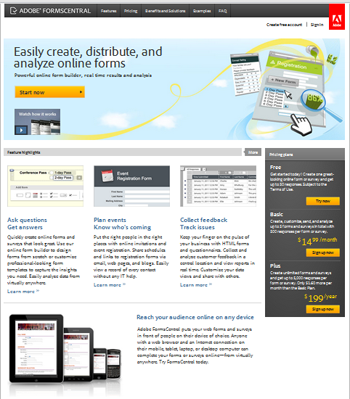
If you want to see an example check out this form I created for my user group blog. It is a registration form for new members. You can add images (I didn't), chance the colors, fonts, etc. Once you publish your file, it will give you an e-mail link to the file. You can add it to your e-mail, webpage or blog and then sign in when you want to view the responses. Form Central keeps track of all your forms and responses for you. Lots of fun and it only took me a few minutes to create. Give it a try and let me know what you think.
Tuesday, March 22, 2011
Tip of the Week - 22 Best Photoshop Text Effects

Take one of the effects and create something of your own to share. Post it here before April 5th (UNHCE staff only) and you will be eligible for a prize. Looking forward to seeing what you can do!
Thursday, March 17, 2011
InDesign Magazine Tip
TIP: Lock It Away with CS5
When you want to prevent yourself from editing an object on the page, lock it by pressing Cmd/Ctrl+L. To unlock just the object, click the lock icon at the edge of its frame. To unlock everything on the spread, press Cmd+Opt+L (Ctrl+Alt+L). Another way to lock objects is to use InDesign's Layers panel to individually lock any item on the page.
James Fritz
When you want to prevent yourself from editing an object on the page, lock it by pressing Cmd/Ctrl+L. To unlock just the object, click the lock icon at the edge of its frame. To unlock everything on the spread, press Cmd+Opt+L (Ctrl+Alt+L). Another way to lock objects is to use InDesign's Layers panel to individually lock any item on the page.
James Fritz
Monday, March 14, 2011
Tip of the Week - Captivate 5 Beginner Tips eSeminar from Adobe

Watch this previously recorded eSeminar for some great Captivate tips. Here's the authors write up:
"In this eSeminar I walk listeners / viewers through an introduction to Billy Simington the mistake machine. By following poor Billy’s misadventures we learn a ton of tips and tricks for beginners about how to use AdobeCaptivate. Included were brief discussions of text, rollover text, transitions, preferences, object styles and working with the timeline. I’m also including here a link to the resource files I used in the demo, as well as of course the link to the eSeminar." Allen Partridge, Adobe E-Learning Evangelist
You will need an Adobe account (free) to watch. For more Captivate eSeminars, Go to the Rapid eLearning /Adobe Captivate Blog.
Four Indesign CS5 Tips from Layers Magazine's RC Concepcion
Watch this video from Layers magazine for some great InDesign tips.
Thursday, March 10, 2011
Choosing the Right Font: A Practical Guide to Typography on the Web
Check out this article on typography by Max Luzuriaga, a young web designer and developer based in Philadelphia.
Subscribe to:
Posts (Atom)